

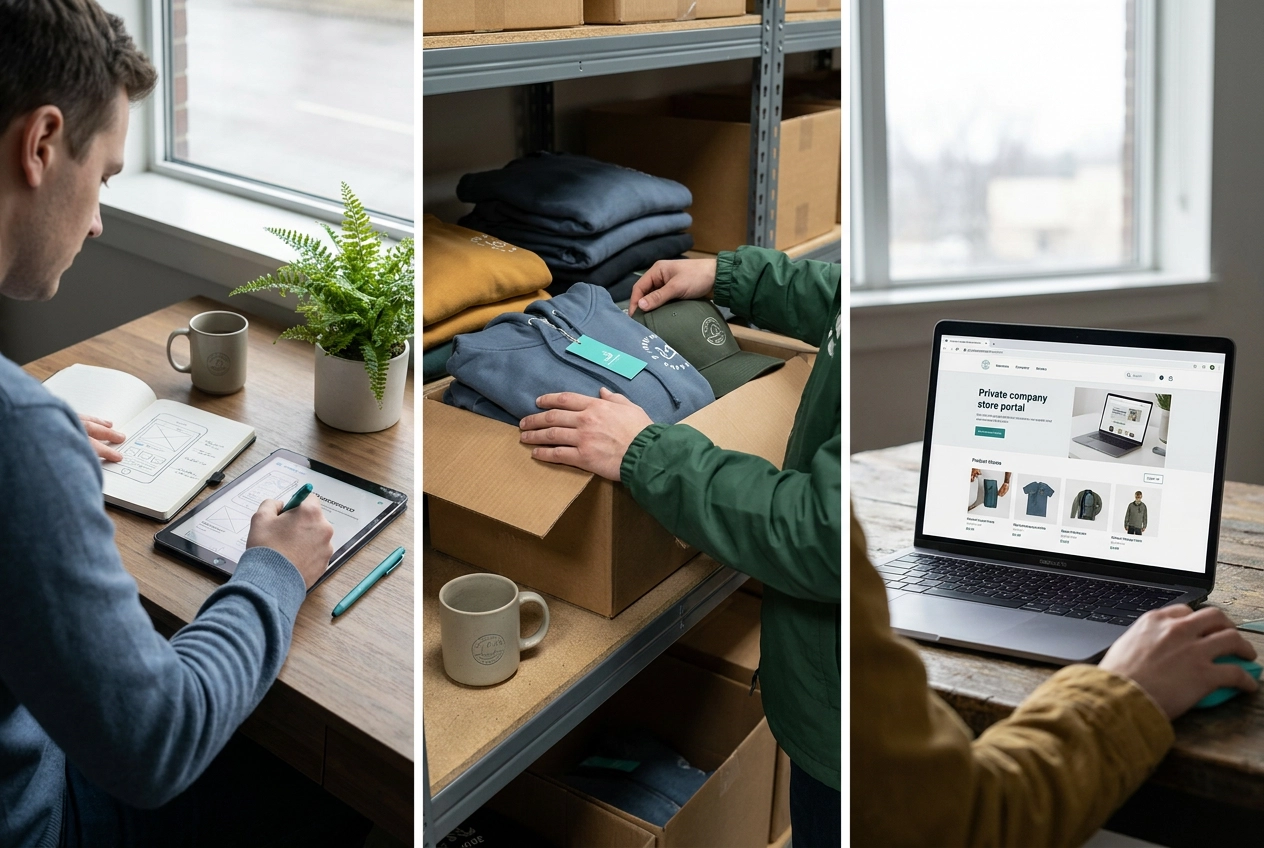
You ordered 500 branded hoodies for a company event. Fifty people showed up. Now there are 450 hoodies in a storage room that nobody wants, and somehow it’s your problem.
If that scenario feels painfully familiar, you’re not alone. Managing company merchandise the traditional way is messy, wasteful, and surprisingly time-consuming. But there’s a better approach that more organizations are turning to: online company stores for employees.
The concept is simpler than it sounds. An online company store is essentially a private e-commerce website built just for your organization, where employees, partners, or fans can browse and order pre-approved branded items whenever they need them. No bulk orders, no storage headaches, no chasing down spreadsheets.
In this guide, we’ll break down exactly how these portals work, what features matter most, who they’re built for, and how to know whether one is the right fit for your organization. Whether you’ve never heard the term before or you’re just starting to explore your options, you’re in the right place.
The Short Definition
An online company store is a private-label e-commerce portal where employees, partners, or other authorized users order pre-approved branded merchandise on their own schedule, without going through a coordinator or waiting on a batch order.
Every product is curated and brand-locked before anyone places a single order. Logos, colors, and approved artwork are fixed at the product level. Users choose size and quantity; they cannot change the design. That’s what keeps your brand consistent across a distributed workforce without anyone policing it manually.
Ordering is entirely self-service. Users log in, browse the catalog, and check out like any e-commerce site. No email requests, no approval chains for standard items, no waiting for the next group order.
Fulfillment happens either on-demand (items are produced after each order) or from pre-stocked managed inventory, depending on program design. Either way, the organization is not warehousing boxes of merchandise and hoping quantities were right.
The portal is typically built and maintained by a branded merchandise provider, which means your team manages what’s in the store rather than the platform itself. Your responsibility is managing what’s in the store; the provider handles the platform, production, and fulfillment infrastructure.
If you’re weighing this model against other structures, this breakdown of company stores, team stores, and employee portals covers how each one is built and who it’s designed to serve.
How Traditional Merchandise Programs Usually Work, and Where They Break Down
To understand why online company stores exist, it helps to look at what most organizations are doing instead.
The typical approach: someone in HR, marketing, or operations collects requests by email or spreadsheet, waits for orders to hit a vendor’s minimum quantity, places a bulk order, and waits weeks for delivery. It works, after a fashion, but creates problems that compound over time.
Leftover inventory is the most visible pain point. Bulk orders require guessing at sizes, quantities, and preferences well in advance, and those guesses are rarely accurate. The result is a storage room full of mediums nobody wanted and promotional mugs that will never fully move. Every time you treat a uniform cycle as a one-off procurement event, hidden costs accumulate in staff time, inconsistent branding, and excess inventory.
Brand consistency erodes quietly. When different departments order from different vendors at different times, small decisions add up: a logo slightly repositioned, a color that approximates but doesn’t match, a font substituted because the original wasn’t available. No single decision is catastrophic, but the cumulative effect is branded materials that don’t quite match each other.
The administrative burden lands on the wrong person. Whoever manages merchandise requests is typically responsible for far more consequential work. Chasing size preferences and coordinating vendor timelines pulls real capacity away from their actual job.
For multi-location organizations, these problems multiply. Regional offices, school districts, healthcare networks, and government departments tend to operate independently rather than coordinating through a single program, leaving a patchwork of branded materials that don’t look like they came from the same organization.
How an Online Company Store Works Instead
A company store replaces that entire manual process with a structured, self-service system. Here is how it actually works, step by step.
Your merchandise provider builds a private storefront branded with your logo, colors, and approved products. It looks and functions like any consumer e-commerce site, but access is controlled. Employees cannot stumble in from a Google search.
Every product is approved before launch, logos, colorways, and decoration methods locked in upfront, as described in the definition above.
Once the store launches, employees receive a login or a direct access link. They browse the live catalog, select items, choose sizes or variants, and place their own orders. No coordinator involved, no approval queue for standard items.
Most setups use on-demand production: nothing is manufactured until an order is placed. The order routes to a production facility, gets decorated, and ships directly to the employee’s address. No warehouse, no guessing on quantities, no leftover inventory sitting in a storage room.
Administrators get a centralized dashboard to track order history, monitor spending by department or cost center, update the product catalog, and refresh brand assets when needed, all without touching individual orders.
If you want a closer look at the specifics, how our company store process works walks through each stage in more detail.
Core Features Worth Understanding Before You Set One Up
- Brand-locked product catalog. Every item comes pre-decorated with approved logos and colors; users pick size and quantity only.
- Self-service ordering with access controls. Administrators set the rules: who can access which products, whether orders require a budget code, and whether certain categories are restricted by department or role. A warehouse team might see one catalog; your sales team sees another.
- Cost allocation and budget controls. Most platforms support cost-center coding, departmental budgets, and allowance-based models where employees receive a set dollar amount to spend per cycle. Purchase order billing is also common for organizations with formal procurement requirements.
- Multi-location and department support. Many platforms allow a single store to serve multiple offices or departments, each with its own product catalog, under one administrative roof. Regional differences in approved products are handled at the catalog level, not through separate stores.
- Fulfillment flexibility. Orders can ship to individual employees, a central address, or a mix of both. That flexibility is especially useful for onboarding kits and uniform programs serving remote and on-site staff simultaneously.
- Order history and reporting. Administrators can track spending by department, identify high-demand items, and spot slow movers. That data refines the catalog over time rather than leaving product decisions to guesswork.
If you want to explore what a well-structured program looks like in practice, the Programs to Power Your Branded Merchandise overview covers the range of approaches worth considering.

Who Uses Online Company Stores and for What
Those features set the foundation. Now here’s who actually puts them to work.
Employee apparel and uniform programs are the most common starting point. Staff log in, pick their size, and order their own branded shirts, jackets, or polos. The items ship directly to them. HR never touches a single package.
New hire onboarding kits are a close second. Instead of someone in HR physically assembling welcome boxes, the organization builds a standard bundle in the store once. When a new employee starts, one order triggers and the kit ships directly to their home or office, whether they’re across town or across the country.
Client and partner gifting gives sales and marketing teams a faster path to sending branded gifts. Rather than submitting a purchase request and waiting on approvals, a rep can place an order directly from the store. Consistent packaging, consistent branding, no separate procurement cycle each time.
Event and tradeshow merchandise works similarly. Organizers pre-load event-specific items, team members order what they need in advance, and everything ships to the venue or directly to individuals.
Employee recognition programs use the same infrastructure differently. Instead of ordering merchandise manually, organizations assign points or credits that employees redeem through the store for branded gifts or gear. If you’re curious about the broader impact of this approach, What Are Branded Merchandise Benefits for Teams? covers the employee engagement side in more depth.
Multi-location uniform programs are where the model really earns its value. Healthcare networks, school districts, fire and law enforcement departments, and hospitality groups can let each location manage its own orders within centrally approved parameters, with no regional coordinator required.
Spirit stores and team stores extend the model to fans, students, and supporters. Schools and sports organizations offer on-demand merchandise without taking on any inventory risk themselves.
When a Company Store Makes Sense, and When It Probably Doesn’t

All of those use cases share something in common: they involve ongoing, distributed ordering where the timing and quantities are unpredictable. That’s exactly where the model performs best.
A company store makes the most practical sense when:
- Your team is spread across locations or works remotely, and people need branded items at different times rather than all at once
- Brand consistency across departments or vendors is a real concern, since a locked-down portal is the most reliable way to prevent rogue logo versions from circulating
- Order volume varies month to month, making bulk buying an inefficient guess
The model is a less obvious fit in some situations, and it’s worth being honest about that. If you’re planning a single large event and you know your exact quantities in advance, traditional bulk procurement will likely produce a lower cost per unit. On-demand convenience carries a trade-off at high, fixed volumes.
Tight timelines are also a poor fit. Setting up a store involves upfront time for product selection, brand approval, and store configuration. Rushing that process tends to produce exactly the brand inconsistencies you were trying to avoid.
If your organization operates in a regulated sector, such as a government agency, school district, or healthcare network, ask your provider directly how the platform handles cost-center coding, purchase order billing, and order history reporting. These capabilities vary, and confirming them before you commit matters.
The simplest question to ask yourself: is this an ongoing, distributed need or a single event with a fixed list? The answer usually tells you which model fits.
What Setting Up a Company Store Actually Involves
If you’ve decided a company store fits your situation, here’s what the setup process actually looks like.
It starts with brand assets. Your provider needs finalized logo files, approved color values, and any brand standards documentation you have. This step matters more than most people expect: the consistency the store delivers downstream depends directly on the quality of what goes in at the start.
Next comes product selection and approval. You and your provider work through a curated catalog together, narrowing down items by budget range, decoration method, and audience. This is where most brand compliance decisions happen, covering logo placement, colorways, and which decoration techniques work on which products. Nothing goes into the store until you’ve signed off on it.
From there, the provider handles store configuration: building the storefront, applying your branding, setting up product pages, and establishing any access controls, budget codes, or cost-center logic your organization requires.
User access gets configured based on your setup. Employees may receive individual logins, a shared access link, or a single sign-on connection to an existing HR or intranet system. This step usually involves a brief conversation with your IT or HR team to get it right. If you want to bring your team into the brand experience from day one, clean access setup is how that starts.
After a review period, the store goes live. From that point, your primary role is catalog management: adding new items, retiring old ones, and keeping the product mix current. Your provider handles fulfillment, production issues, and platform maintenance.
That division of responsibility is the point. You are managing a merchandise program, not a software platform, which is a considerably lighter lift.
How OneStop Northwest Approaches Company Stores
OneStop Northwest handles company stores as part of a single-source model, meaning the same partner that builds your store also manages graphic design, product sourcing, branded apparel, printing, fulfillment, and ongoing support.
That matters in practice. When a logo changes, a product gets discontinued, or a new department needs access, you make one call. There is no untangling a chain of vendors: a platform provider, a decorator, a fulfillment house, and a designer who each own a different piece of the program.
OneStop serves organizations ranging from small businesses and nonprofits to multi-location healthcare networks, school districts, fire and law enforcement departments, and government agencies, both across the Pacific Northwest and nationally.
For regulated sectors and public agencies, cost-center workflows, purchase order billing, and procurement documentation are part of how programs are scoped, ask your provider early so these requirements are built in rather than added later.
The goal in every case is a store that runs with minimal ongoing involvement from your team. Employees order what they need, items ship correctly branded, and your administrator has clean reporting. The email threads, the storage room inventory, and the inconsistent logos that made the old approach frustrating are no longer part of the equation.
Is an Online Company Store Right for Your Organization?
If the description above sounds familiar, a company store is probably worth exploring. As covered above, the model fits ongoing, distributed needs better than fixed one-time events, and a good provider will say so honestly.
If your organization is currently managing branded merchandise through email threads, dealing with leftover inventory, or watching brand consistency slip across departments or locations, the portal model directly addresses those problems.
When you’re ready to explore whether a company store makes sense for your situation, OneStop Northwest is a practical starting point. The team handles the full scope: store setup, product sourcing, design, fulfillment, and ongoing program support, so you’re working with one partner rather than coordinating across several. No pressure, no guarantees invented to close a deal, just a straightforward conversation about what your organization actually needs and whether this model fits.
Contact OneStop Northwest to talk through your branded merchandise program.
Conclusion

Online company stores work best for distributed, ongoing programs, the portal model eliminates the inventory waste, brand drift, and manual coordination that make traditional approaches frustrating.
If your current program feels harder than it should be, that friction is worth addressing. OneStop Northwest is a single-source partner for setup, sourcing, design, and fulfillment.
Contact OneStop Northwest today and take the first step toward a branded merchandise program your team will actually use.
Frequently Asked Questions
What's the main difference between an online company store and traditional bulk merchandise ordering?
Traditional bulk ordering requires coordinators to collect requests via email or spreadsheets, wait for minimum quantities to be met, and place large orders that often result in leftover inventory. Online company stores replace this manual process with a self-service system where employees log in, browse pre-approved branded items, and place orders whenever they need them. Nothing is manufactured until an order is placed, eliminating warehouse storage and inventory guessing.
Can employees customize or change the designs on items ordered from a company store?
No. Every product in an online company store comes pre-decorated with approved logos and brand colors that are locked in at the product level. Employees can only choose the size and quantity of items they want to order. This ensures consistent branding across your organization without requiring anyone to manually police design compliance.
How are costs typically handled in an online company store setup?
Most company store platforms support multiple cost allocation methods, including cost-center coding, departmental budgets, allowance-based models where employees receive a set dollar amount per cycle, and purchase order billing for organizations with formal procurement requirements. Administrators can set rules about which cost centers have access to which products and track spending by department.
Is an online company store a good fit for a one-time company event or large conference?
Not typically. Online company stores work best for ongoing, distributed ordering needs where timing and quantities vary. If you're planning a single large event and know your exact quantities in advance, traditional bulk procurement will likely produce a lower cost per unit. The store model involves upfront setup time for product selection and brand approval, which makes it less ideal for tight timelines or fixed-volume events.
What's involved in setting up an online company store, and how long does it take?
Setup involves several steps: providing finalized logo files and brand standards, working with your provider to select and approve products, allowing the provider to configure the storefront and access controls, and setting up user access (individual logins, shared links, or single sign-on). After a review period, the store goes live. From there, your main responsibility is catalog management—adding or retiring items and keeping the product mix current—while the provider handles fulfillment and platform maintenance.